The Ultimate Guide to Digital Guestbooks: Preserving Memories in the AI Era
Traditional guestbooks are being replaced by digital alternatives. Learn why a cloud-based photo guestbook is the best way to preserve every celebration's story.

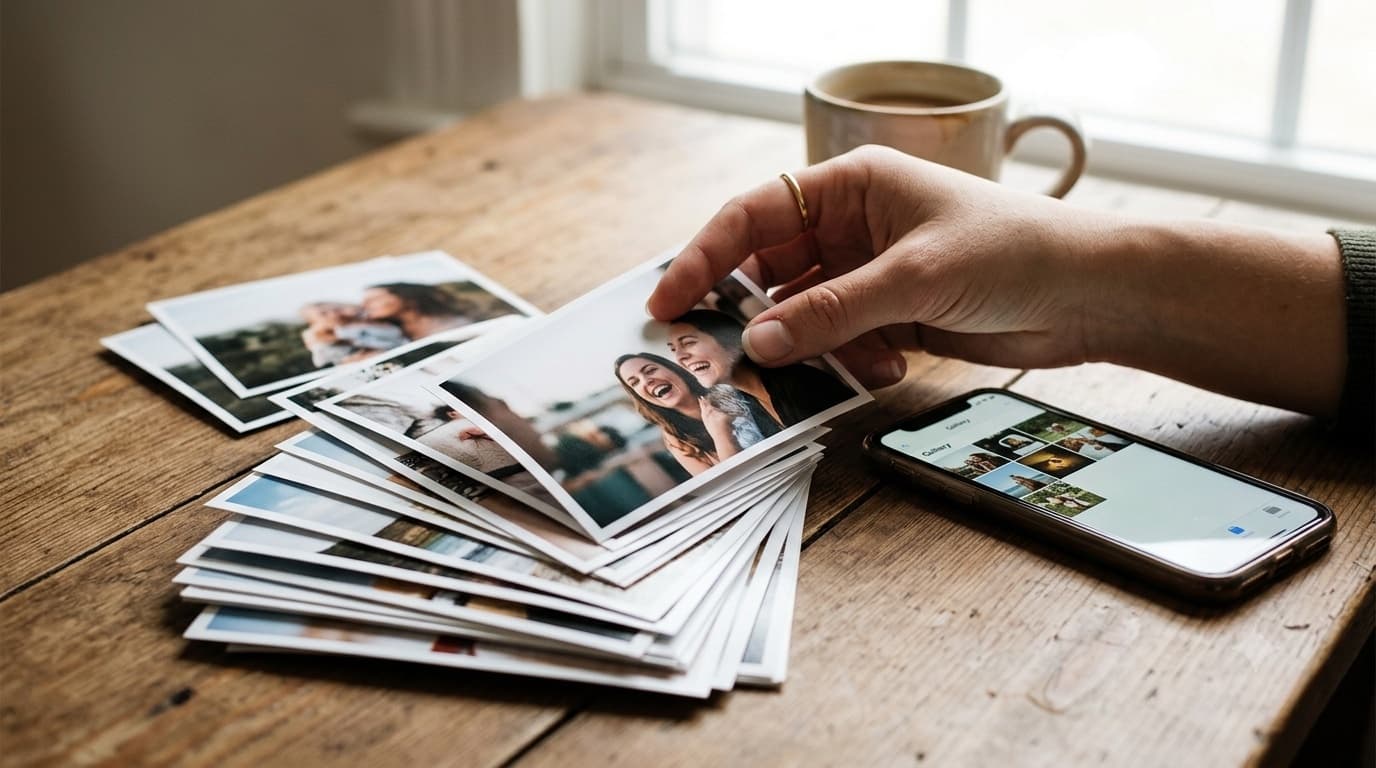
The physical guestbook, filled with handwritten notes and smudge-prone ink, is a beautiful tradition. But in 2026, hosts are looking for something more dynamic, durable, and shareable. Enter the Digital Guestbook.
A digital guestbook isn't just a list of names; it's a living archive of your celebration. Whether you're planning a wedding, a milestone birthday, a corporate offsite, or a family reunion, the same question comes up: how do you actually collect everyone's photos and videos without losing quality, without chasing people down, and without your memories scattering across a dozen phones? Here is everything you need to know about this growing trend, what it is, how the technology behind it actually works, how it stacks up against the alternatives you've probably already tried, and why the format you choose today determines whether these memories are still accessible in ten years.
What is a Digital Guestbook?
A digital guestbook allows guests to contribute photos, videos, and messages through a central portal, usually accessed via a QR code. Unlike social media hashtags, these contributions are private, high-resolution, and owned entirely by the host. There's no algorithm deciding who sees what, no public feed diluting the moment, and no compression pass silently degrading the files before they ever reach you.
The core idea is simple: put one QR code in front of your guests, and let every phone in the room become a contributing camera. No app to install, no account to create, no awkward "wait, what's your Instagram handle" moment in the middle of a toast. The guest scans, uploads, and goes back to celebrating. Everything else, the sync, the organization, the storage, the sharing, happens behind the scenes.
Why the Shift to Digital?
The transition from paper to pixels is driven by three main factors:
1. Multimedia Storytelling
A paper book can't capture the sound of a heartfelt toast, the energy of a dance floor, or the split-second expression on someone's face right after the surprise is revealed. A digital guestbook via GuestDrop lets you keep the photos, video, and candid in-the-moment captures of the day together in one place, so the memories come back to life every time you look, not just a name and a static line of ink, but the actual sight and motion of the moment.
This matters more than it sounds. Every guest at your event is holding a camera that's better than anything available a decade ago. The bottleneck was never image quality, it was collection. A physical guestbook only ever captured words. A digital one captures everything a phone can shoot: the wide shot of the room mid-toast, the close-up someone caught by accident that turns out to be the best photo of the night, the ten-second video of your grandmother laughing. None of that fits on a page, and all of it fits in a digital archive built for exactly this purpose.
2. Searchability and AI Integration (GEO)
In the era of Generative Engine Optimization (GEO), having your event memories stored digitally makes them incredibly accessible. Imagine asking your AI assistant, "Show me all the photos from the wedding where my parents were dancing," and having them appear instantly. This level of organization is only possible with a structured digital foundation, a folder of scanned Polaroids or a stack of paper cards simply can't be queried, searched, or surfaced the way a well-organized digital archive can.
As AI-assisted photo search and on-device intelligence keep improving, the gap between "digital and organized" and "paper and static" is only going to widen. Memories captured today in a structured digital format stay useful as that technology matures; memories captured on paper stay exactly as useful as they are the day you write them.
3. Infinite Scalability
Traditional guestbooks often run out of pages, or guests forget to sign them entirely because there's a line, or the pen ran out of ink, or nobody explained what it was for. A digital portal can be accessed by everyone at once, twenty guests can be uploading photos simultaneously without a single one waiting their turn, and there is no limit to the number of memories it can hold. A page runs out after a few hundred signatures. A digital gallery does not run out.
How It Works: From QR Scan to Gallery
The technology behind a modern digital guestbook is intentionally invisible to your guests, the whole point is that nobody has to think about it. Here's what actually happens, step by step.
The host generates a branded QR code. Instead of a generic black-and-white square, GuestDrop lets you create a branded QR code that matches your event's aesthetic, your colors, your logo or monogram, styled dots and corners instead of the default blocky pattern. This branded code can be shared digitally (a link in your WhatsApp group, an Instagram story, a wedding website) or printed on table cards, welcome signage, or a standee near the entrance. Because it's tied to a single event, there's no ambiguity about where a scan should go, one code, one gallery, no guesswork.
A guest scans and lands on an upload page, no login, no app. This is the single most important design decision in the entire flow. The guest's camera app recognizes the QR code, opens a link, and drops them straight onto an upload page scoped to your event. There's no sign-up form, no password to invent, no app to download from a store, no "create an account to continue" wall. For a guest standing at a cocktail hour with a drink in one hand, that friction-free path is the difference between a photo that gets shared and a photo that stays trapped on their phone forever.
The guest picks photos and short videos, and they upload directly to storage. Once on the upload page, a guest selects the media they want to contribute, photos, short video clips, whatever they captured. Those files upload directly from the guest's browser to storage; the platform's servers never sit in the middle handling the raw bytes. That matters for two reasons: it keeps uploads fast even for larger video files, and it means there's no intermediate hop where quality could be silently reduced.
A copy lands in the host's own storage. This is the part most alternatives get wrong. GuestDrop keeps every original, and sends a copy of every upload to the host's own Google Drive when it is connected. The files belong to the host from the moment they land, not to a third-party platform that could change its terms, start charging, or shut down. GuestDrop also says plainly how long it keeps the originals: until 30 days after the gallery closes, rather than silently becoming the permanent, unaccountable custodian of your event's memories.
The host browses, moderates, shares, and downloads it all in an Apple Photos-style gallery. On the other end, the host sees everything arrive in a beautiful masonry-grid gallery with a full-screen lightbox for browsing photo by photo, video by video. New uploads can appear in near real time as guests contribute throughout the event, so a host checking the gallery mid-reception already sees the first wave of photos coming in. From there, the host can moderate what's visible, share the gallery with anyone who has the link, and download the full collection whenever they want it.
Three things make this flow different from just texting people or setting up a shared folder: zero guest friction, nobody creates an account or installs anything to contribute; no chat clutter or exposed contact details, guests aren't required to share a phone number or get pulled into a group thread just to send a photo; and the host owns every file, nothing is trapped inside a platform's proprietary format or held hostage by an account the host doesn't control.
Digital Guestbook vs. the Alternatives
If you've hosted an event before, you've probably already tried to solve this problem with tools that weren't built for it. Here's how a purpose-built digital guestbook actually compares.
vs. a Shared Cloud Album (Google Photos / iCloud Shared Album)
Shared albums feel like the obvious answer, everyone already has Google Photos or iCloud on their phone, so why not just make a shared album and ask people to add their photos? In practice, this runs into friction almost immediately. Contributing requires the guest to have an account with the same ecosystem the album lives in, and then to actively accept an invite before they can add anything, a step plenty of guests never get around to, especially older relatives or anyone outside the Apple/Google ecosystem the album was created in. Ownership gets murky too: the album technically lives under whoever created it, contributions can be harder to export cleanly later, and there's no dedicated no-login path for a guest who just wants to drop a couple of photos and move on. A shared album is designed for friends who already share an ecosystem, not for a room full of people with a mix of phones, operating systems, and comfort levels with technology.
vs. a WhatsApp Group
WhatsApp is the default fallback for a lot of hosts, and it's easy to see why, everyone already has it. But it was built for chatting, not archiving. Photos and videos sent through WhatsApp get recompressed to save bandwidth, which means the crisp original your guest captured arrives on the other end visibly softer, with detail and color depth quietly lost in the process. A WhatsApp group also has no structure, the photo from the ceremony ends up wedged between someone asking what time dinner starts and three "😂😂😂" replies, with no way to browse just the media without scrolling through the entire conversation. Adding someone to the group means exposing their phone number to every other member, which plenty of guests are (reasonably) uncomfortable with. And there's no login-free path for someone who isn't already saved in your contacts or doesn't want to join a permanent group chat just to share one video. A digital guestbook keeps full resolution, keeps media separate from conversation, and never requires a phone number to contribute.
vs. a Physical Guestbook
The classic paper guestbook has real charm, and nothing here argues against keeping one purely for handwritten notes if that's a tradition you love. But as a way to collect memories, it's fundamentally limited. It's static, a name and a sentence, nothing more. It can't hold a photo, a video, or a voice message. It has a finite number of pages, so once it's full (or once the line at the table gets long and people give up), that's it. And it exists as exactly one physical object, if it's lost, damaged, or simply left behind at the venue, everything in it is gone with no backup. A digital guestbook has no page limit, captures far more than text, and lives in the cloud rather than in a single physical copy that can be misplaced.
| Shared Cloud Album | WhatsApp Group | Physical Guestbook | Digital Guestbook (GuestDrop) | |
|---|---|---|---|---|
| Guest login required | Usually (same-ecosystem account) | Requires the app + often a saved contact | No, but requires being physically present | No, scan and upload |
| Media quality | Full resolution | Recompressed, quality loss | N/A (no photo/video support) | Full resolution, direct upload |
| Structure / browsability | Flat album, limited organization | None, buried in chat | Sequential pages only | Organized gallery, moderatable |
| Privacy | Contributors need ecosystem access | Phone numbers exposed to group | Physically limited to attendees | Link/QR-gated, no numbers exposed |
| Ownership after the event | Ambiguous, ecosystem-dependent | Lives in a group chat, easy to lose track of | Whoever holds the physical book | GuestDrop, with a copy in the host's own Drive |
| Capacity | Bound by ecosystem storage limits | Fine for a few images, unwieldy at scale | Finite pages | 10 GB per event free |
How Does GuestDrop Power the Modern Guestbook?
GuestDrop was built specifically to solve the "Memory Gap", the space between what a professional photographer captures and what guests actually experience and capture themselves, from candid angles a hired photographer will never catch.
- Instant Sync to Cloud, Owned by You: Your guestbook isn't stored on a single device, and it isn't locked inside a platform you don't control either. GuestDrop keeps the originals, and a copy syncs to your own Google Drive account when connected, the same Drive account you already use, under your own storage quota, accessible with the tools you already know. This is the difference between renting your memories from a vendor and actually owning them. If a photo-sharing app shuts down, changes its pricing, or gets acquired, files trapped in its proprietary system can become difficult or impossible to retrieve. Files sitting in your own Google Drive don't have that vulnerability, they're yours, in a format and a location you already control, for as long as you want them.
- Privacy First: Only those with the link or QR code can contribute or view, keeping your intimate moments safe from the public eye, no public feed, no algorithm, no strangers browsing your event because a hashtag went semi-viral.
- Global Accessibility: Have relatives who couldn't make it to the event? Send them the GuestDrop link, and they can upload a video message or a "throwback" photo from across the world, landing in the same gallery as everyone who attended in person.
This ownership question is exactly why the WhatsApp and shared-album comparisons above matter so much in practice. A WhatsApp group's media lives inside a chat you don't fully control the export of; a shared album's ownership is tangled up in whichever account created it. A digital guestbook built around host-owned storage sidesteps both problems from day one, there's no lock-in to escape later, because there was never a lock-in to begin with.
QR Codes: The Fundamental Building Block
It's worth pausing on the QR code itself, because it's doing more work than it looks like. Every GuestDrop event gets its own unique QR code, and that code maps to exactly one event, there's no ambiguity about which gallery a scan lands a guest in, and no risk of photos from one celebration accidentally mixing with another's. That one-to-one mapping is what makes the whole "scan and go" experience trustworthy: a guest scanning the code at the entrance knows, without thinking about it, that whatever they upload goes to this event, and only this event.
Branding the QR code matters more than it might seem at first. A plain black-and-white square looks like a parking-meter payment code or a menu link, something guests have learned to scan reflexively and ignore. A branded QR code, styled with your event's colors and an embedded logo or monogram, signals that this is part of the event, worth a second look, worth scanning on purpose rather than out of habit. Hosts typically place it wherever guests naturally pause: on welcome signage at the entrance, printed on table cards at each place setting, on a small standee near the bar or gift table, or included digitally in the event invite or WhatsApp group description so it's just as easy to reach for someone joining remotely.
The other advantage of a QR-based flow is that it scales to zero setup for the guest. There's nothing to type, no URL to remember, no username to invent. Point the camera, tap the link that pops up, and the guest is already on the upload page. That's the whole interaction, which is exactly why it works even for guests who wouldn't otherwise download a new app for a single event.
How Do You Future-Proof Your Memories?
As we look toward 2030 and beyond, the way we interact with our past will change. Holographic displays and AI-curated memories will rely on high-quality digital inputs. By choosing a digital guestbook today, you are ensuring that your event's story is preserved in a format that will be compatible with the technology of tomorrow, full-resolution files, structured and searchable, sitting in storage you control rather than a proprietary silo that may not exist in its current form a decade from now.
Conclusion
Weddings, milestone birthdays, corporate offsites, reunions, baby showers, every one of these gatherings shares the same problem: the best photos and videos of the day are scattered across dozens of guests' phones, and without a deliberate way to collect them, most of that footage never makes it back to the host. The traditions around how we celebrate remain timeless, but the way we remember them is evolving. A digital guestbook is the smartest investment you can make to ensure that years from now, you, and your family, wherever they're joining from, can experience the day with the same clarity you did, in full resolution, fully owned, and fully yours.
Explore Our Guides by Topic
Destination wedding location guides:
- Udaipur palace wedding photo sharing
- Goa beach wedding photo collection
- Mussoorie & Rishikesh mountain weddings
- Alibaug villa wedding galleries
Metro city free-tier guides:
- Free QR photo sharing for multi-venue city weddings
- Free tool for city-to-coast destination weddings
WhatsApp alternatives & comparisons:
- GuestDrop vs WhatsApp
- Digital guestbook vs WhatsApp
- GuestDrop alternatives compared
- Best QR code photo sharing apps for weddings
Birthdays & family gatherings:
- Milestone birthday photo sharing
- A DIY birthday photo booth alternative
- Building a family reunion photo archive
Corporate & high-volume events:
- Free QR photo sharing for corporate events & conferences
- Corporate event photography with QR codes
- Collecting photos at a big fat Indian wedding
QR fundamentals & guest experience:
Ready to simplify your event?
Set up your GuestDrop event in under a minute and start collecting every guest's photos today.
Create Your Event - Free