Collect every wedding guest photo, in one gallery.
Share a branded QR code at your ceremony and reception. Guests scan with their phone camera and upload photos and short videos in seconds, no app to download and no account to create.
Scan to upload
Straight to your gallery
Three steps to every candid moment.
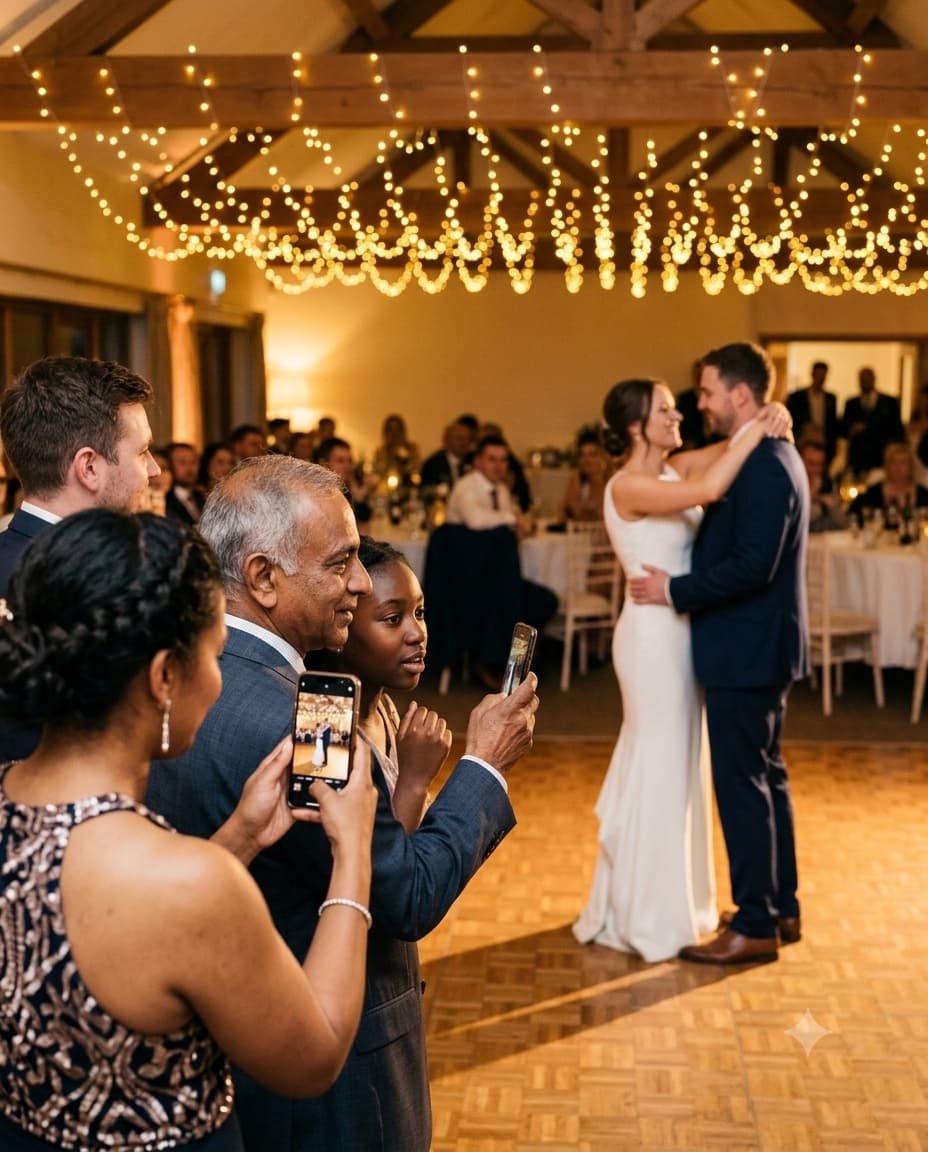
Built so guests of every age, from the flower girl's parents to the grandparents at the head table, can capture the getting-ready shots, the ceremony, and the reception without downloading anything.
Create your wedding gallery
Set up your event in under a minute, pick a name and your wedding date, and connect your Google Drive if you want a copy there. Every upload, from the getting-ready photos through the after-party, lands in one gallery, ready before the first guest scans.
Design your branded QR code
Customize the colors and add your monogram so the QR code matches your invitation suite, table cards, welcome sign, and programs. A code that looks intentional on every surface gets scanned more often than one guests have to hunt for.
Guests scan and upload instantly
No app to download, no account to create. Guests scan with their phone camera during the ceremony, cocktail hour, or the dance floor later that night, select their photos and short videos, and upload straight from the browser in seconds.
What event hosts are saying
Very good for sharing event photos by the guests and free

Ramiro
1 photo · Wedding · Translated
Hey!! Guestdrop is so useful app, using it for my wedding wish me luckk:)) thankful for such agood experience

Tulin S
11 photos · Wedding
Easy to use, and met all the requirements I was looking for

Amanda Ramos
13 photos · Wedding · Translated
A wedding photo gallery, built right.
Everything a couple needs from the morning of getting-ready shots to the last song on the dance floor, and nothing a single guest has to install first.
Every guest becomes a photographer
Your professional photographer can only be in one place at a time, missing the getting-ready laughter, the first look, and the quiet moment at the head table. A QR code on every table means candid angles from cocktail hour through the last dance get captured too.
Zero friction, any age of guest
No app download, no login, no signup required. Guests of any age, from a tech-savvy cousin to a grandparent who has never used a QR code before, just scan with their phone camera and upload, entirely inside the mobile browser, no new app to figure out.
A copy in your own Drive
GuestDrop keeps every photo and video at full quality, from the getting-ready shots to the send-off. Connect Google Drive and a copy of each one goes into your own Drive, not a black box you have to beg a vendor to export. Without Drive, you download everything from the gallery. The memories are yours from the very first upload.

Full-resolution originals
Unlike a WhatsApp group, where every forward compresses the image a little further, uploads through GuestDrop keep the original file quality your guests captured, sharp enough to print for an anniversary album years later.
A QR code that matches your aesthetic
Design a branded QR code with your own colors and monogram so it looks intentional on your welcome sign, table cards, wedding website, and the little card tucked into the favor bags guests take home at the end of the night.
Room for the whole wedding
10 GB of photos and short videos free, thousands of phone photos, whether it is a small elopement or a large ballroom reception. Every candid from every guest, from the ceremony processional to the last song of the night, lands in one place.
A living gallery on the day
Uploads land in a beautiful, Apple Photos-style gallery in real time, so during cocktail hour or the reception you can moderate, hide, and share the collection as it grows, right from your phone while the party is still going.
7 days of access, a copy in your Drive for good
Your GuestDrop gallery stays open free for up to 7 days after the event date, plenty of time for guests still uploading getting-ready photos or after-party shots days later. Then you have 30 days to download everything, and if you connected Google Drive, a copy of every photo already lives there for good.
Common questions from couples.
Do our wedding guests need to download an app?
No, they just scan your QR code with their phone camera, the same way they would scan any QR code today. It opens a mobile-friendly upload page directly in the browser, so there is nothing to download and no account to create before the first dance, the cake cutting, or the send-off. Guests of every age, from the wedding party to the grandparents, can join in without any technical help.
Where do our wedding photos get stored?
GuestDrop stores every original at full quality, and sends a copy to your own Google Drive if you connect it, so you are not stuck with a vendor platform you have to log back into later. Every guest upload, from the getting-ready photos through the reception send-off, lands in your gallery and in a Drive folder you already own and control.
How many wedding photos can our guests upload?
Each wedding holds 10 GB of photos and short videos free, which is thousands of phone photos, and 20 GB if you extend the gallery. You can set how many each guest may upload, from the getting-ready shots and the ceremony processional through cocktail hour, the speeches, the cake cutting, and the last dance at the end of the night.
How long do we have access to the gallery?
Your GuestDrop gallery stays open free for up to 7 days after the event date, long enough for guests scattered across time zones to finish uploading. After it closes, you have 30 days to download every original. If you connected Google Drive, a copy of every photo is saved there from the moment it is uploaded, ready for a thank-you card or an anniversary album, long after the GuestDrop event itself expires.
More on wedding photo sharing.
Planning a specific kind of wedding? These guides go deeper.
Ready to collect every wedding memory?
Create your wedding gallery, share your branded QR code with every guest at every table, and watch candids from the ceremony through the last dance arrive, with a copy in your Google Drive.